

The first week my son started school, I thought I was prepared. Uniform? Bought. Lunchbox? Sorted. Water bottle? Somewhere in the house (probably under the sofa). I’d done the sensible bits. The bits you can plan for. What I hadn’t prepared for was the emails.
Every day, multiple messages. Some genuinely important. Some vaguely important. Some that were technically important but written like they were trying to win an award for maximum ambiguity. Attachments everywhere. Forms. Links. Deadlines. Random requests for oddly specific items with less than 24 hours’ notice.
If you’re a parent of a new starter, it’s not the complexity that gets you. It’s the constant background feeling that you’re one missed email away from turning up on the wrong day with the wrong kit and the wrong child.
At some point, after yet another “please read carefully” message arrived while I was half-asleep and trying to get everyone out of the door, I realised something: I wasn’t struggling because I’m bad at admin (Narrator: He is bad at admin). I was struggling because the system is designed for humans with unlimited attention and time. I don’t have unlimited attention OR time. I have a job, a family, and a brain that’s already running at capacity.
This is the story of how I went from “inbox chaos” to a daily, calm briefing that tells me what I actually need to do today and what’s coming up this week. Along the way, I tried a few different architectures, compared tools, learned what matters for reliability, and ended up with a setup that’s both simple and surprisingly powerful.
The actual problem wasn’t email
It’s tempting to say “schools send too many emails”, but that’s not really the point. Schools have to communicate. They have a lot to coordinate. And honestly, most of the time they’re doing their best. The real problem is what happens on the receiving end.
The emails arrive at random times, in inconsistent formats, with important details hidden inside long paragraphs, PDFs, screenshots, PDF’s of screenshots, and sometimes a Word document that looks like it was created in 2006 (yes, word art) and never updated out of loyalty.
Then you’re expected to remember what matters, keep track of what’s due, and somehow convert it into a plan for your week… while also making breakfast and finding a missing PE kit.
That’s the bit that breaks you.
So the goal wasn’t “inbox zero”. The goal was “I want a calm, reliable daily briefing that tells me what I actually need to do”.
So, let’s automate this…
My first instinct was to build a proper pipeline. The kind of thing I’d build at work: ingest everything, store it, summarise it, surface the actions.
Naturally, Zapier was the first stop. It’s easy, it’s fast, and it has connectors for basically everything.
But I hit a problem immediately: most automation tools want access to your inbox. Even if you trust Zapier (and I do, broadly), giving a third party full access to your email is a big permission to grant, and it wasn’t necessary for what I was doing.
I didn’t need Zapier to read everything. I needed it to receive only the school emails. This is where a brilliant little Zapier feature saved the day. Zapier can generate you a unique email address, and anything you send to that address triggers the automation. It sounds simple, but it changes the security model completely.
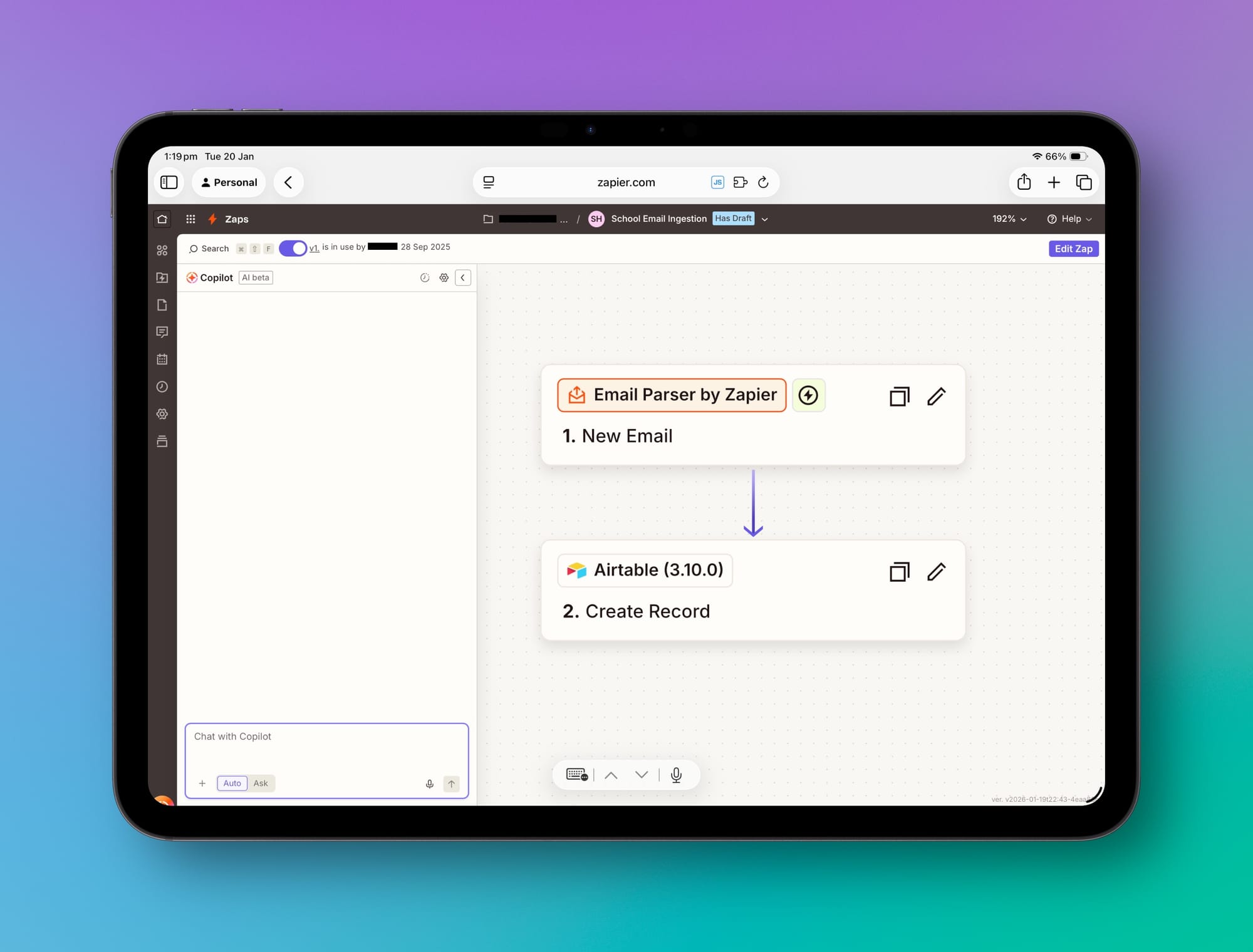
That meant I could set up forwarding rules on my side, keep control of what was shared, and massively reduce the blast radius if I ever wanted to turn it off. So the first version of the system started with:
School emails arrive in my normal inbox, my email provider forwards only those messages to Zapier’s generated address, and Zapier treats that as the input stream.
Airtable became the “control centre”
Once the emails were flowing into Zapier, I needed somewhere to put them.
Airtable was the obvious choice. It’s one of those tools that sits in a sweet spot between spreadsheet and database. It’s structured enough to be reliable, but flexible enough that you can change your mind later without breaking everything.
So I built a base that stored each incoming email as a record: subject, email body, date received, plus attachments where possible.
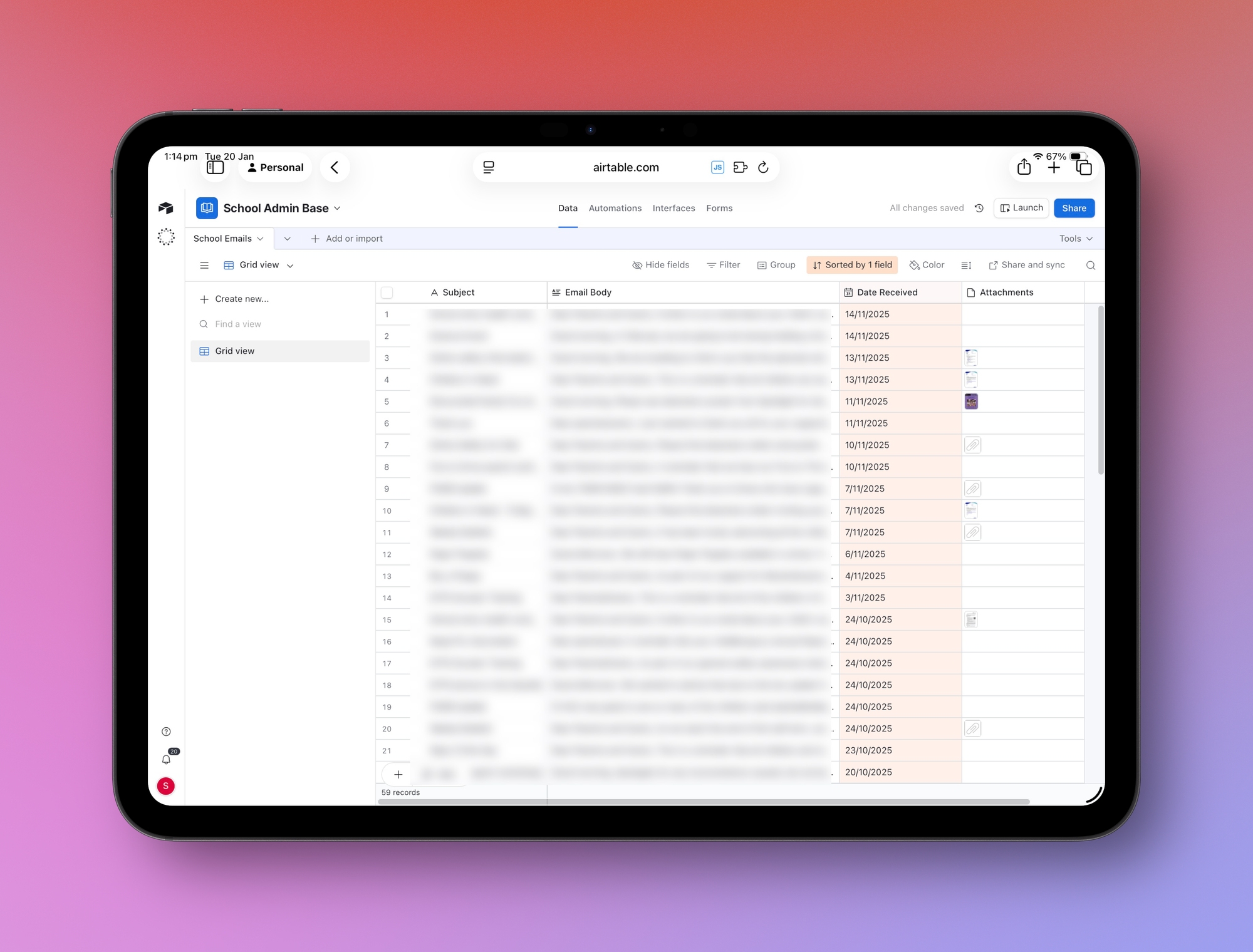
At this point, I wasn’t trying to do anything clever. I just wanted a single place where all school comms lived, separate from the rest of my inbox noise.
But the real magic came next.
The daily summary: Airtable + LLM
This is the bit people assume is complicated, but it wasn’t. I used Airtable’s Automation feature, and inside that automation I used their built-in AI step. The automation ran once a day. I wanted one daily briefing, not a constant stream of updates. So once a day, Airtable would:
Take all the incoming email content it had received (including the attachments), summarise it using Airtable’s built-in LLM, filter it down to anything relevant today or in the next week, and then create me a nicely formatted digest which it delivered back to my email.
And honestly… it worked.
It took the constant drip of school admin and turned it into a single moment of clarity. The output was genuinely useful:
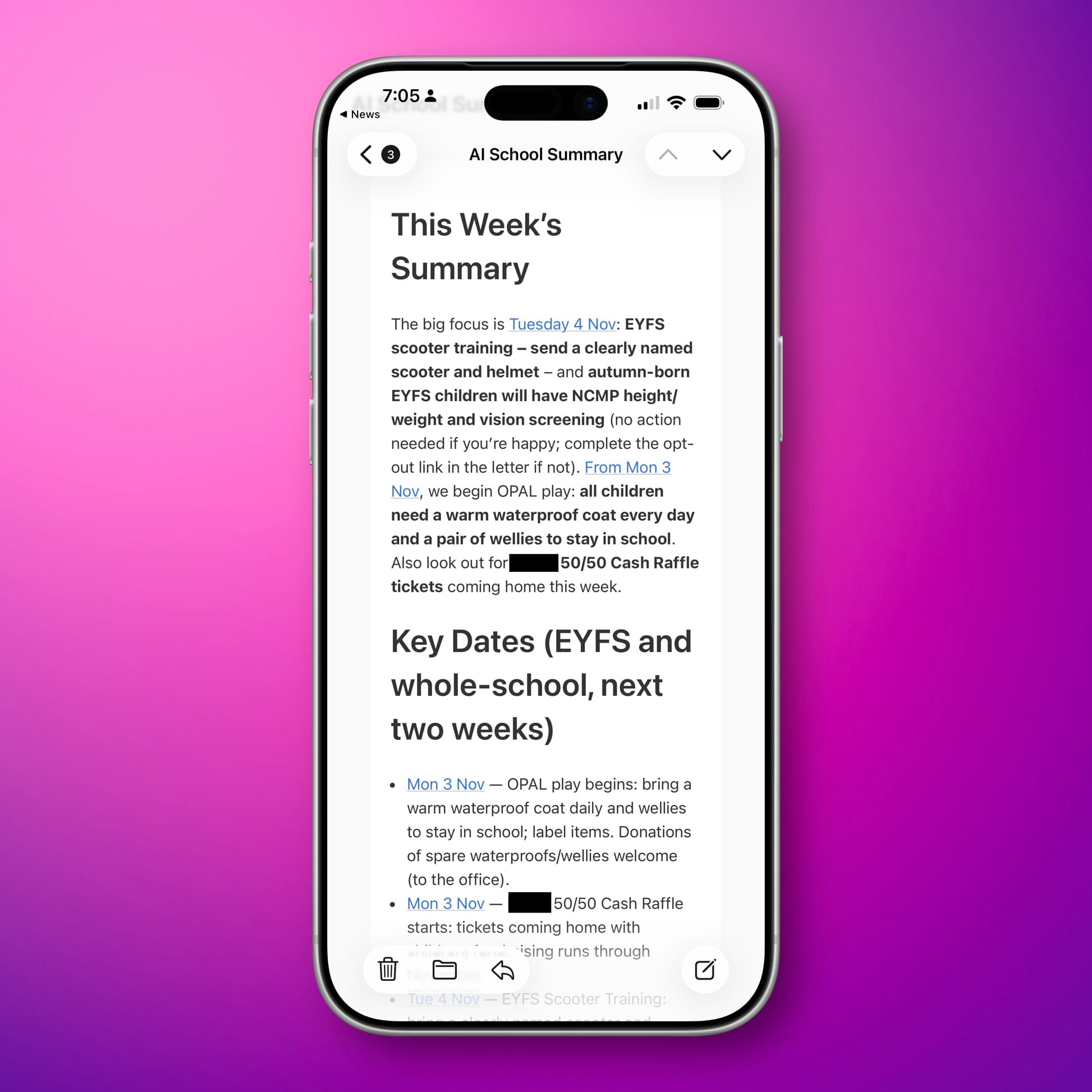
What do I need to do today? What’s coming up soon? What forms, payments, or kit will ruin my morning if I forget?
This is exactly the sweet spot for LLMs in family life. Not “be a chatbot”. Be a prioritisation engine.
Then I had a sinking realisation
In my absolute genius, I had solved the problem of too many emails… by creating another email. School emails were still coming in. And now, every day, my automation sent me a daily summary email.
It’s one of those moments where you step back and realise you’ve built something that’s absolutely brilliant, and equally stupid. So I started thinking: if the output is a daily briefing, do I really need it delivered as… another email?
And more annoyingly, I kept running into the free usage limits for the Airtable AI step in the automation. I didn’t want to pay for this on top of all the other AI product subscriptions so… did I really need Airtable in the middle anymore?
The simplification: move the “stream” into Gmail, then let an LLM read it daily
At this point I changed approach completely. Instead of building a pipeline that stored everything in Airtable and then emailed me the summary, I moved to a much simpler model:
Put school email into my Gmail account, automatically label it, and then have an LLM check that label once a day and give me a briefing.
This sounds like a small shift, but it’s actually the biggest change in the whole journey because it changes the system from “automation infrastructure” to “assistant workflow”.
Gmail is important because (as i’m writing this) it’s the only email inbox you can directly connect to chatGPT. You could use a separate account if you’re worried about chatGPT having access to your whole inbox, but I have an account that’s old and not used for anything anymore, so I just forwarded the emails there and tagged them with a label like “School Email” - This way I can tell chatGPT to look at emails with this tag.
ChatGPT scheduled tasks: the daily briefing, without the extra email
So, I connected ChatGPT to Gmail, told it to look only at the emails under that label, and set up a scheduled task with notifications. Every morning, it checks the latest messages and gives me a daily briefing. I get a push notification, which takes me right into the message in chatGPT telling me what I need to do today. What’s coming up this week. Anything requiring payment, consent, forms, or kit. Anything that would cause stress if missed.
It’s the same outcome as the Airtable approach, but with less machinery, and crucially, without generating yet another email.
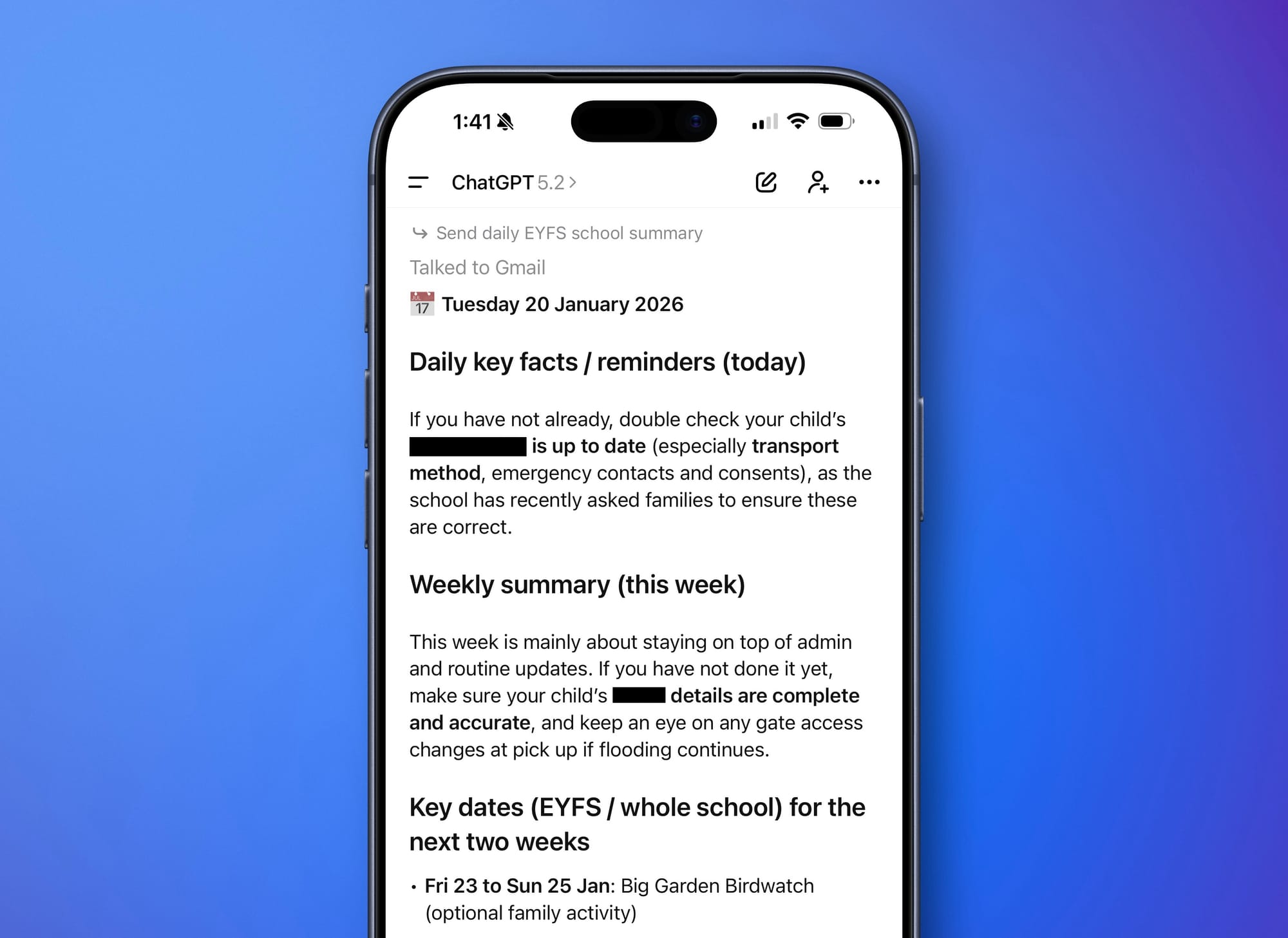
The briefing lives where I already am. In the tool I’m already using for everything else. I thought about giving it a little persona, I was going to call it CHAD (Child Admin)… Luckily, I didn’t.
Gemini vs ChatGPT: I tried both properly
Because I can’t help myself, I also tested Gemini. I used a 1 month free Gemini Pro trial and built the same scheduled daily briefing workflow on the Gemini side.
Gemini is very capable. It understood the emails, extracted dates and actions reliably, and produced good summaries. I was curious if it would be any better than ChatGPT for this use case given it’s a Google product, as is Gmail.
Honestly, there was no difference in capabilities or output. If you’re deep in Google’s ecosystem, it’s a very strong option. But I ended up keeping it in ChatGPT simply because ChatGPT is where I already do my thinking. Work stuff, life admin, drafting, planning, problem solving. It’s already the “hub”.
The unexpected bonus: turning a year of school events into a single calendar import
A side quest… Once this was all configured I used it for one other job that ended up being a huge win. As we have established, Schools are not great emails. It turns out, they’re also useless at calendars. They’ll send dates in emails, PDFs, newsletters, tables, and occasionally a screenshot that looks like it was photographed from a moving car, embedded in a word document.
So I fed ChatGPT all the events I could find (based on the email connection), asked it to extract them into a structured list, and then generate a single ICS file for the year.
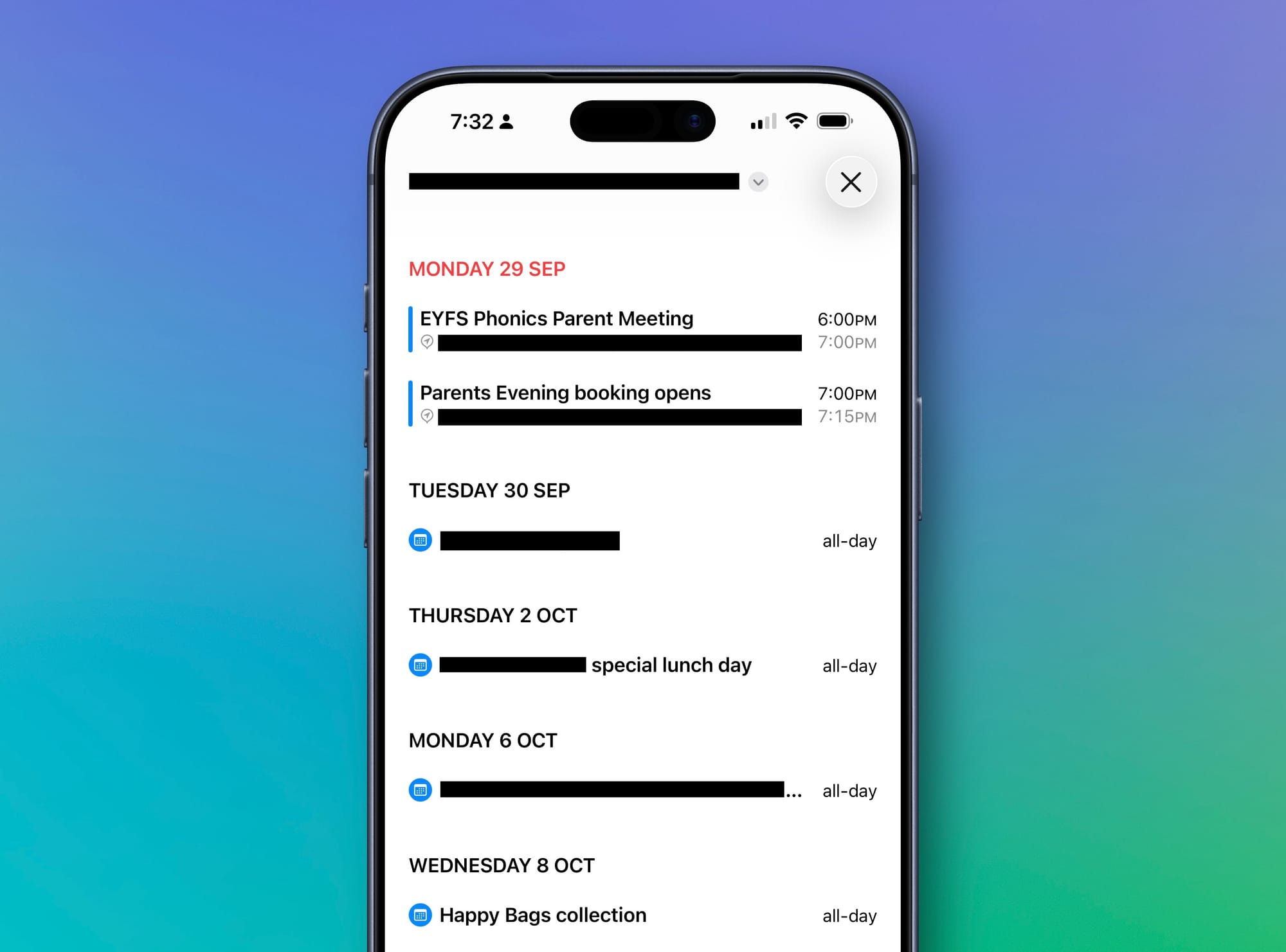
One file. Import once. Done.
I dropped it into our shared family calendar and set all notifications consistently in one place. Trips, non-uniform days, assemblies, inset days, reminders for “bring X in”, all handled upfront.
That one change removed an entire category of stress.
The outcome: I stopped feeling behind
The best thing about this isn’t the tech. It’s the feeling. Every morning I get a short briefing, I do the things that matter, and the rest of the noise can sit quietly in the label until it’s needed.
It’s not perfect. I still occasionally forget something. The school still sometimes send things home on pieces of paper slipped into book bags (It’s like they have no time to think about how this impacts my automation efforts!)
But the system absorbs the chaos, and I get to spend my attention on the parts of family life that actually matter.
Which, to be honest, is the whole point of technology, isn’t it?